
The short answer
Good contractor website design does three things fast: it tells visitors what you do and where you work, it shows them you're legit, and it makes calling or requesting a quote easy from any screen. Everything else (colors, fonts, animations) matters a lot less than those three.
What every contractor website needs
- A clear headline. Say what you do and where, in plain words. "Roof repair and replacement in Friendswood and League City" beats "Excellence in Every Detail."
- A tap-to-call button that stays visible. Most homeowners will find you on a phone. The number should be one tap away on every page.
- A short quote form. Name, phone, address and what they need. Every extra field costs you requests.
- Your service area. List the cities and neighborhoods you cover near the top, so visitors know right away if you're a fit.
- One page per service. A homeowner searching for "water heater replacement" should land on a page about water heaters, not a list of everything you do.
- Proof. Real photos of your crews and finished work, reviews, licenses, insurance and warranties. Skip the stock photos.
- Fast loading. If a page takes too long on a phone, people leave and call the next company.
- Follow-up. A quick automatic reply to every quote request, so leads don't go cold while you're on a job.
Design choices that matter for contractors
Design should support the call, not compete with it.
- Keep the layout simple. One main button per screen, usually "Call now" or "Get a free quote."
- Use high contrast. Your phone number and buttons should stand out against the background, even in bright sunlight on a phone.
- Show people, not graphics. A photo of your truck and your team builds more trust than any illustration.
- Avoid popups that cover the page on mobile. They block the very thing visitors came for.
- Keep it current. Old promotions, holiday banners or outdated notices make a business look closed or careless.
How your website helps you show up on Google
Your website and your Google Business Profile work together. A few basics make a real difference:
- Use the same business name, address and phone number everywhere online.
- Give each main service its own page, and mention the areas you serve in plain language.
- Add service area pages for your main cities, with real local details rather than copied text.
- Ask happy customers for reviews and reply to every one.
Our local SEO basics guide covers this in more detail.
What to ask before you hire a web designer
- Who owns the site and the domain if we part ways?
- What's included each month: hosting, updates, security, SEO?
- Will the site be built around getting calls and quote requests, or mostly around looks?
- How will I get leads: phone, form, email notifications, a CRM?
- How long until launch, and what do you need from me?
- Can I see sites you've built for other contractors?
- Is there a long-term contract or a setup fee?
If a designer can't answer these clearly, keep looking.
What contractor website design costs
There are three common paths:
- Do it yourself. Builders like Wix or Squarespace cost little in money but a lot in time, and the results depend on your comfort with the tools.
- Custom agency build. Usually a larger upfront cost, often in the thousands, plus ongoing fees for hosting, updates and SEO. It can take several weeks or more.
- Done-for-you monthly plan. A fixed monthly price that covers the build, hosting and ongoing updates. This is how SmartSites360 works: plans run $297 to $697 per month with no setup fees, most sites launch in 7-10 days, and every plan includes monthly SEO updates.
Not sure which fits you? Take our DIY vs managed website quiz.
Real contractor website examples
Recent work by our team at Big Splash Web Design, the people behind SmartSites360.
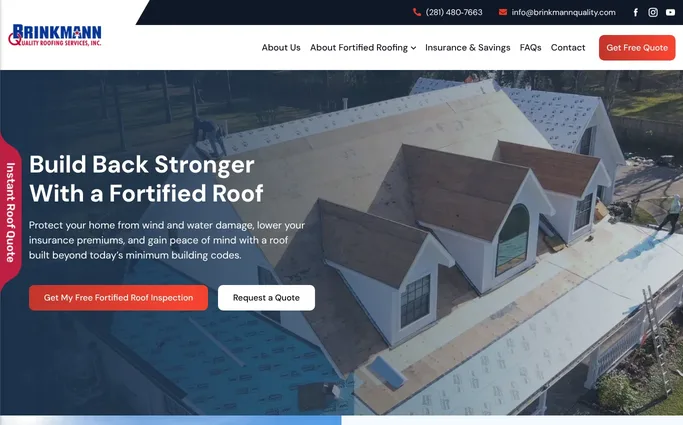
Brinkmann Quality Roofing
Roofing, Friendswood, TX
What it does well: a clear headline about what they do, two quote buttons right up front, and an "Instant Roof Quote" tab that stays on screen as you scroll.
Visit site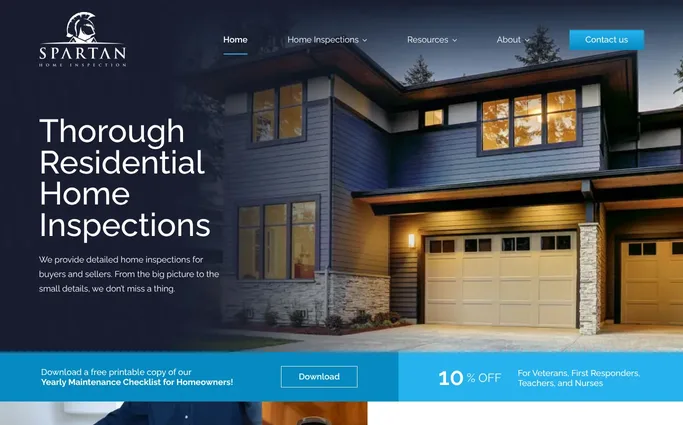
Spartan Home Inspection
Home inspection, Houston area
What it does well: a clean, modern look, a free maintenance checklist download, and a discount for veterans, first responders, teachers and nurses.
Visit site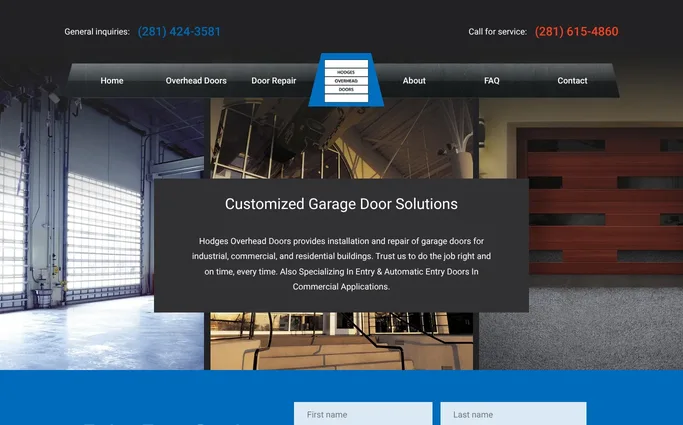
Hodges Overhead Door
Garage and overhead doors, Baytown area
What it does well: separate phone numbers for general calls and service, a "Get a free quote" button at the top, and clear sections for residential, commercial and industrial customers.
Visit site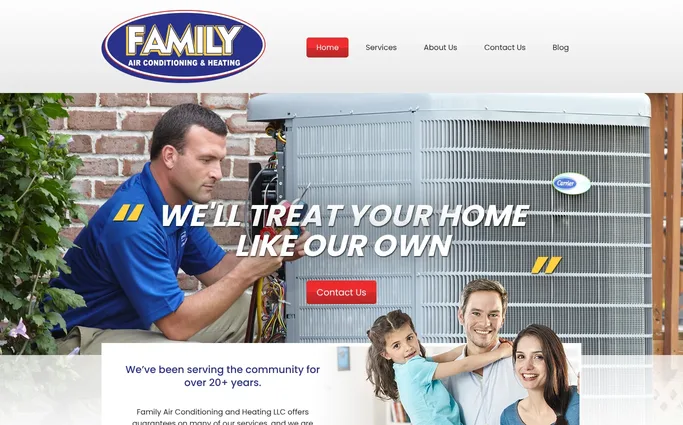
Family Air Conditioning & Heating
HVAC
What it does well: a real technician on the homepage, a big phone number, and its 24 hour service with no overtime charge stated in plain words.
Visit site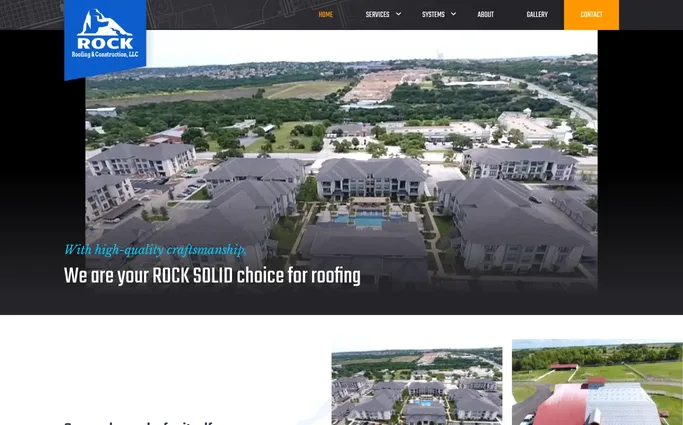
Rock Roofing & Construction
Roofing
What it does well: puts finished work front and center with a photo gallery under "Our work speaks for itself."
Visit siteFAQs
Want a website built to book jobs?
SmartSites360 builds done-for-you websites for contractors, with hosting, monthly SEO updates and follow-up built in.